Top Digital Planning Tools for Creative Entrepreneurs (and Mompreneurs Who Do It All)
Why Entrepreneurs Love Digital Planners
Running a business can look like client calls at 10, a launch plan at 2, and soccer practice at 4. Paper planners are lovely, but sometimes you need digital planning tools that move as fast as your brain and sync everywhere you go.
That’s where planner apps come in. For creative entrepreneurs (and moms juggling a home & side hustle), these aren’t just “fancy apps” – they’re lifelines. They keep projects, content, family schedules, and finances from spilling into chaos.
Bonus perk for moms: no sticky toddler fingers all over your calendar pages. just saying. 😉
Wondering if you’re more of a digital devotee or a paper planner fan? Check out my full breakdown of digital vs. printable planners to find your perfect fit. If digital ends up being your pick, I’ve rounded up some of the best tools in my Ultimate Guide to Planners for Moms & Creative Entrepreneurs – your go-to hub for planning that actually fits real life.

What Makes a Good Digital Planning Tool?
Not every app deserves a spot on your home screen. The best digital planners usually check these boxes:
- Sync across devices. If you can’t open it during school pick-up, it’s not worth your time.
- Searchable. You shouldn’t have to scroll for ten minutes just to find that client invoice from March.
- Customizable. Your brain is unique – the right tool flexes with your workflow, not the other way around.
- Affordable. Monthly fees add up quickly. Start with free tiers or one-time costs until you know you need premium features.
💡 Quick litmus test: If it takes longer to plan your work than to do your work, the tool’s not right for you.
Quick Cheat Sheet: Best Digital Planners at a Glance
Think of this as your “planner speed dating” guide – fast first impressions before we dive deeper:
- GoodNotes → Best for handwriting lovers. (iPad only, one-time cost.) Feels like real paper, minus the risk of juice box spills.
- Notion → Best for custom systems & flexibility. (Free, works on all devices.) It’s basically digital Lego blocks.
- ClickUp → Best for project managers & teams. (Generous free plan.) Think “productivity with a PhD.”
- Trello → Best for visual thinkers & simplicity. (Free.) Drag-and-drop digital sticky notes your toddler can’t peel off the wall.
- Todoist → Best for minimalists. (Free.) Straightforward lists when you just want “done,” no drama.

GoodNotes vs Notion: Which One’s Better?
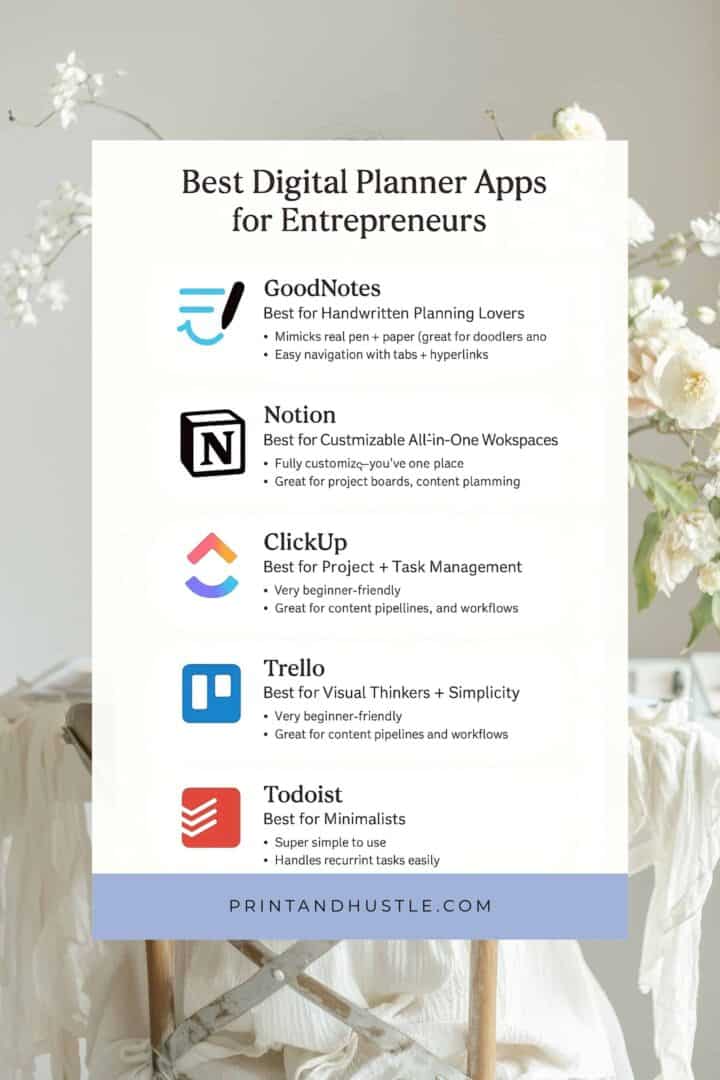
These two are the most-searched planner apps – but they shine in different ways. Here’s the quick side-by-side:
Features: Goodnotes vs Notion
| Feature | GoodNotes | Notion |
|---|---|---|
| Style | Handwritten, feels like paper | Typed & database style |
| Best For | Scribblers, doodlers, note-takers | System-builders, content creators, teams |
| Devices | iPad (with Apple Pencil) | Works everywhere (desktop, phone, tablet) |
| Cost | One-time app purchase | Free (paid upgrades available) |
| Learning Curve | Low – just write! | Medium – building dashboards takes time |
Top Tip: If you love handwriting and sketching ideas, go GoodNotes. If you love systems, spreadsheets, and databases, go Notion.

Best Digital Planner Apps for Entrepreneurs
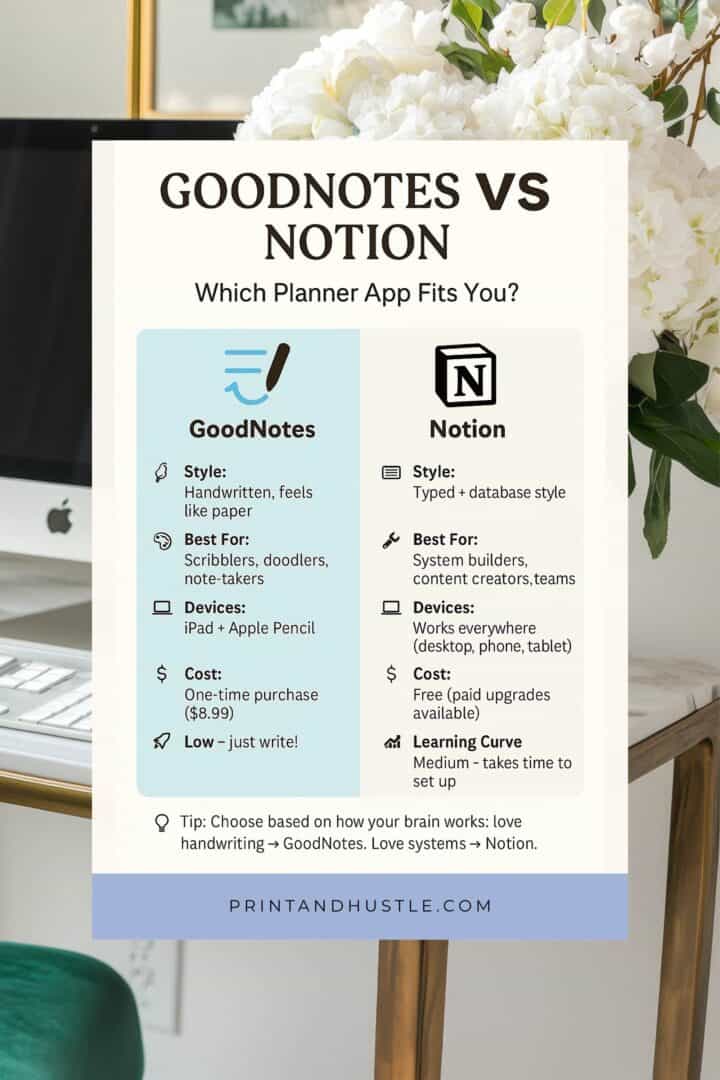
GoodNotes – Best for Handwritten Planning Lovers
GoodNotes is perfect if you’re a pen-and-paper kind of person but want the convenience of an iPad. You can import digital planner PDFs (with clickable tabs) and write on them with a stylus.
Why Moms & Entrepreneurs love it:
- Mimics real pen & paper (great for doodlers and note-takers).
- Easy navigation with tabs & hyperlinks.
- Works beautifully for client notes, journaling, or even homeschool tracking.
Heads up: You’ll need an iPad & Apple Pencil, and if you love collecting planner PDFs, the costs can add up.
👉 Craving the real paper feel? Check out my Best Printable Planners for Moms post.
Notion Digital Planner – Best for Customizable All-in-One Workspaces
Notion is like digital Lego. You can build dashboards, to-do lists, content calendars, and even team workspaces.
Why Entrepreneurs Love it:
- Works on desktop, tablet, and phone.
- Fully customizable – you can make it as simple or complex as you like.
- Great for project boards, content planning, and client management.
Watch out: It can feel overwhelming at first (like building IKEA furniture without the manual).
👉 Tip: Start with a free Notion template instead of building from scratch – it saves loads of time.
ClickUp Digital Planner – Best for Project & Task Management
ClickUp is like Trello and Asana had a baby… then gave it a PhD. It’s a serious powerhouse for project management.
Why entrepreneurs love it:
- Combines tasks, projects, goals, docs, and chat in one place.
- Multiple views: list, board, calendar, Gantt charts.
- Automations save time (like moving tasks automatically when marked done).
Heads up: The learning curve is real, but once it clicks, it’s a game-changer.

Trello Digital Planner – Best for Visual Thinkers & Simplicity
Trello is the OG project board. If you’re a visual thinker, you’ll love dragging and dropping tasks.
Why Entrepreneurs Love it:
- Very beginner-friendly.
- Great for launches, content pipelines, and workflows.
- Fun extras like calendar view or integrations with Slack.
Limitation: It’s better for short-term projects than long-term strategies.
If you outgrow Trello, ClickUp is the natural next step.
Bonus Mention: Todoist – Best for Minimalists
Sometimes you just want a clean to-do list without the bells and whistles. That’s Todoist.
Why Entrepreneurs Love it:
- Super simple to use.
- Handles recurring tasks easily.
- Great for brain-dumping quick lists.
Keep it Minimal: If you’re drowning in details, Todoist is like taking a deep breath.

Pricing Snapshot: Free vs Paid
| App | Free Plan | Paid / One-Time Cost |
|---|---|---|
| GoodNotes | ❌ | One-time purchase ($8.99) |
| Notion | ✅ | $8–10/month (optional) |
| ClickUp | ✅ | $5–12/month (optional) |
| Trello | ✅ | $5–10/month (optional) |
| Todoist | ✅ | $4–6/month (optional) |
Top Tip: Start with free. Only upgrade once you’ve proven the tool works for your brain.
Features to Look for in a Digital Planner
When choosing your app, think about what matters most:
- Syncing: Does it work on phone, iPad, and laptop?
- Searchability: Can you pull up notes instantly?
- Customization: Do you want simple plug-and-play or a custom system?
- Affordability: Start free. Upgrade only when necessary.
👉 Still deciding if you’re a “digital” or “paper” person? Check out Digital vs Printable Planners: Which One is Right for You?.
How to Choose the Right App for Your Business Style
- The Scribbler: You process ideas best by writing → Try GoodNotes.
- The Architect: You love building systems → Try Notion.
- The Project Manager: You thrive on deadlines + detail → ClickUp.
- The Visual Dreamer: You love seeing progress → Trello.
- The Minimalist: You just want quick lists → Try Todoist.
- The Mompreneur: You need productivity apps that juggle family & business → Try Notion (systems) & Todoist (simplicity).
Top Tip: Don’t marry an app on day one. Try the free version for a week and see if your brain likes it.

FAQs About Digital Planners
Bonus: Digital Accessories That Make Planning Smoother
If you’re leaning digital, a few extras can make your planner setup feel seamless (and a little more fun):
- iPad & Apple Pencil (or the more budget-friendly Logitech Crayon).
- Digital Planner PDFs (Etsy has gorgeous designs you can download instantly).
- Digital stickers (motivating and way cuter than plain checkboxes).
- Cloud storage (Google Drive, iCloud, or Dropbox) for safe, automatic backups.
Optional Extras: Think of these like planner “add-ons.” Not essential, but they can make the experience a whole lot smoother.
Your Next Step to Stress-Free Planning
Digital planning tools aren’t one-size-fits-all. The best one is the tool you’ll actually use – not the one that looks the fanciest. Start simple, test a couple, and let your system grow with you (and your family).
Here’s what to do next:
- Download my free Planner Starter Kit (12 beautiful printable pages to ground your routines).
- Explore the Ultimate Guide to Planners for Moms & Creative Entrepreneurs for the big-picture view.
- Pick one app from this list, give it a week, and notice how it feels in real life.
Because planning isn’t about perfection – it’s about finding what helps you spend less time juggling tasks and more time doing the things you actually love.
💡 And hey, if all else fails, remember: even a half-filled planner beats scribbles on the back of a Target receipt.